
For businesses
How to fill last-minute restaurant cancellations
Mosey · 15 November 2026 · 11 min read
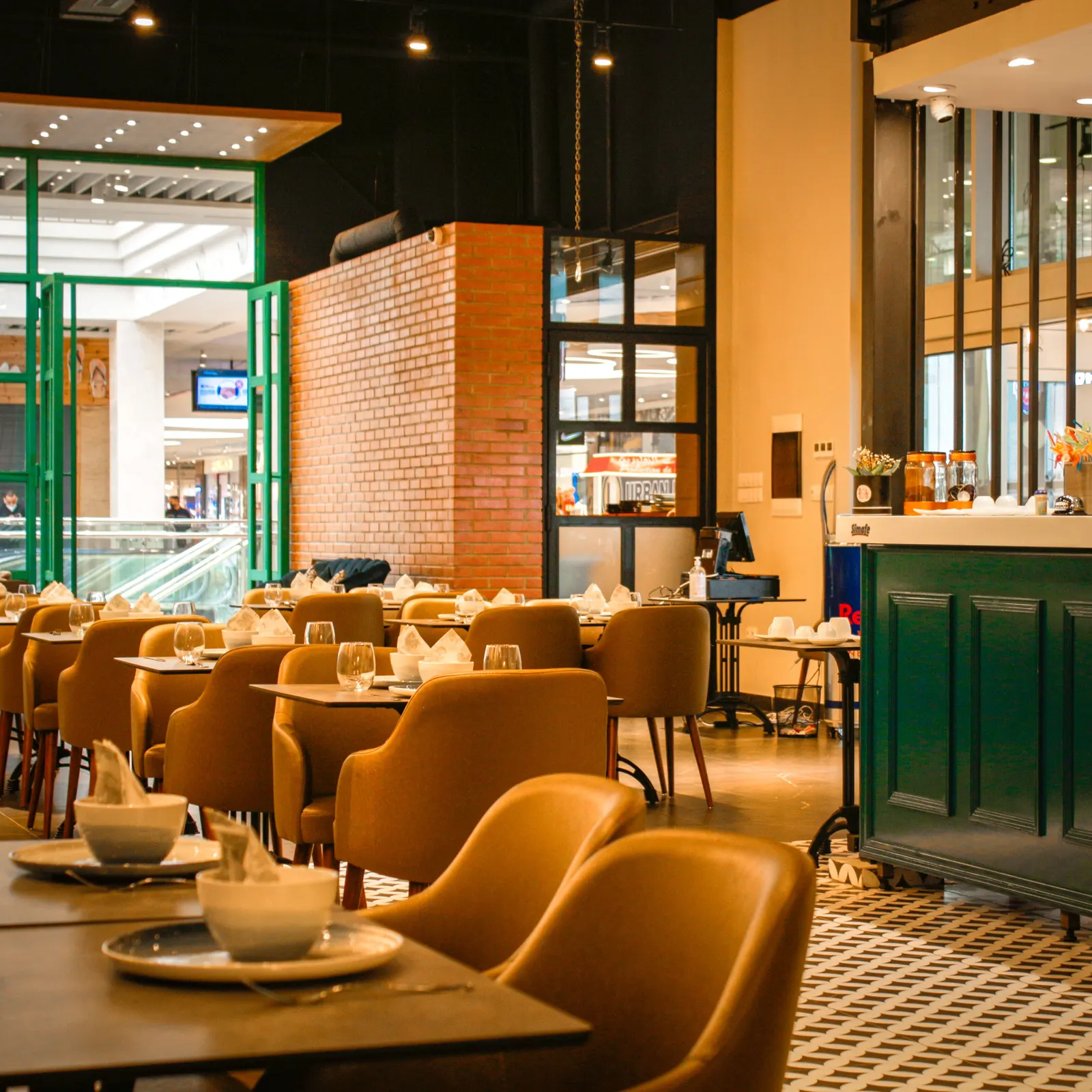
To fill a last-minute cancellation, offer the table in order: first to guests already waiting for that time, then to diners who asked to hear about cancellations while there is still time, then to the walk-in queue and your regulars in the last two hours. Keep the deposit in place so the empty table costs you little. Mosey's waitlist, Last-Minute Tables and cancellation alerts cover those steps.

Why does a late cancellation cost more than one empty table?
A table that cancels at four on a Friday does three kinds of damage. You have already bought the food and rostered the staff for those covers. You may have turned other people away earlier in the week because the diary said full. And the table is worth nothing unless someone takes it before service, and that window closes fast.
Here is an example, with round numbers that are yours to replace. A table of four spends about €100. Two of them cancel on a Saturday night. That is €200 of sales gone, while the staff cost, the heat and the prepped stock stay the same. The sum works the same way for a café at brunch.
A cancellation is also easier to rescue than a no-show. The guest has told you, so you have a few hours, sometimes a few days, to find a replacement. A no-show gives you nothing. The no-show side, the deposit that discourages it and its true cost are in how much no-shows cost and how to stop them, and the no-show cost calculator puts your own figures on it.
This guide is about the other half: the gap is there, so how do you fill it?
How much notice do you have, and what should you do with it?
The tool that fits depends on how long before service the table frees up. Work from the longest notice to the shortest.
| Notice | Best move | What does it on Mosey |
|---|---|---|
| More than a day | Offer it to people already waiting for that date | The waitlist |
| A day down to two hours | List the table so people who asked are told | Last-Minute Tables and cancellation alerts |
| Under two hours | Seat the door and ring your regulars | The walk-in queue |
The two-hour line is real. A table can be listed on Last-Minute Tables only while the booking is more than two hours away, and a live listing ends at that point. Inside two hours, the waitlist, the queue and a short phone list are what you have.
Do the cheap steps first. A waitlisted guest already wants that night, so one offer fills the table. A public listing reaches people who have not asked for that night, which is a bigger audience but a slower answer.
How does a waitlist refill a table without you ringing round?
The waitlist is for the night that is fully booked. A guest who cannot get a table joins the list for that date and a time. When a booking cancels, or an unpaid deposit releases its table, Mosey offers the table to the next waiting party in line whose size fits at that time.
That offer is timed. The guest has a set number of minutes to claim it, and if they do not, it moves to the next party. Only one offer is open for a time slot at once, so two parties are never promised the same table. A guest who claims the table books it the ordinary way, so your party rules, hours and deposit apply to it as they would to any booking.
Three details help you run it well:
- Ask guests for a time. Automatic offers go to waiting parties who gave a time. An entry marked any time shows in your Waitlist tab, but nothing is offered to it for you.
- A guest cannot join for a time that is open. Mosey tells them a table is available and they book it, so your list holds only people you could not seat.
- A cancellation you make yourself is caught too. Mosey checks for freed tables every five minutes, so a table you release from the dashboard is offered on the next check.
The waitlist comes with the Starter reservation plan, at €79.99 a month. The walk-in queue and waitlist page shows what each plan includes, and the waitlist set-up guide has the screens.
How long should a waitlist offer stay open?
You choose, in your reservation settings: anywhere from 5 minutes to 24 hours. If you have not chosen, it is 30 minutes. The guest sees the number in the message that tells them a table has opened.
Match it to the notice. Tonight, with a table that cancelled at four, give 15 to 30 minutes, because the offer has to be answered before the kitchen opens. For a date next week, give a few hours, so someone at work can answer on a break. Too short and a good guest misses their chance. Too long and the table sits reserved for someone who has stopped looking.
Allow a little slack. A guest cannot claim after the time is up, but the table moves to the next party on the five-minute check, so the handover can lag by a few minutes.
One button works differently. Notify in the Waitlist tab sends a manual offer with a fixed 24 hour hold, not your setting. On a night when you need an answer in half an hour, let the automatic offer run and leave Notify for tables that are days away.
What are Last-Minute Tables, and when do they beat a waitlist?
Last-Minute Tables is a public list of tables that have opened up. Use it when nobody is waiting, or when the waitlist has run out.
A table gets on the list in one of two ways. A guest who cannot come offers their own booking, with the Offer slot button in the app. Or you post a booking from your reservations list, with Post slot, once the guest has told you they are not coming. Either way it needs to be more than two hours away.
When a new diner claims it, the booking is confirmed straight away and you get a notification that a booking came in from Last-Minute Tables. The new guest pays the same deposit as the original booking, not a penny more, to your own Stripe account. Mosey takes no fee on a reservation deposit. The original booking is cancelled and its deposit goes back in full, whether a guest offered it or you posted it, and the original guest is told. If nobody claims a guest's listing by two hours before, it ends and your normal cancellation policy applies to that guest. If nobody claims a table you posted, the slot expires and the booking stands.
So when a guest rings to say they cannot come, ask them to tap Offer slot in the app first. Mosey then handles the cancellation, the refund and the policy for you.
One point on discounts. Post slot starts on No discount. If you choose one, 10, 15, 20 or 25 per cent off, it is stored on the new guest's booking, and the booking in your list reads "Honour it on this booking's bill". Mosey does not take it off the bill: your team does that at the table. A table a guest offers carries no discount, because a guest cannot give money off your bill.
Who hears when you list a table?
Listing a table is only useful if the right people are told. Three groups are.
- Diners who set a cancellation alert on your page, who hear about any table you list.
- Diners with a saved watch for a date, a time window and a party size, set for your business, a list it is on or an area around it. A watch that matches your listing sends them a message, and each diner can keep up to ten at a time.
- Your followers who agreed to hear from you. Following alone is a bookmark. Only followers who said yes to your business are told about an offer.
If you run a membership, your members go first. A table listed while you have an active membership plan is offered to members for 60 minutes before it reaches anyone else. That is a quiet way to make a membership worth having, and the membership page covers how to set one up.
For a table that is hard to place, open the Cancellations tab and Boost the listing. The Boost shows how many people it will reach and the price before you pay, so spend it on the table that costs you most, such as a Friday at eight, and not on a Tuesday lunch. The Boost page has the detail.
Alerts need diners to opt in, so the habit to build is asking regulars. A line on the menu and a word from the host at the door ("tap the alert on our page and you will hear first") costs nothing.
Should you let guests offer their own bookings?
In Ireland the setting is on unless you turn it off. In your reservation settings, under Last-Minute Tables, the option reads Let guests offer their booking to other diners. Your own listings never depend on it.
The case for leaving it on: a guest who cannot come has a reason to tell you early. A guest who would otherwise cancel at five, or not turn up at all, offers the table instead, and the offer goes out hours earlier than a cancellation would have reached you. They also get their deposit back in full when someone takes it, which is a better outcome than forfeiting it, so they behave better.
The case for turning it off: you want to control who sits in your room, or you prefer to list tables yourself. Switching it off stops new guest listings. A listing that is already live runs until it ends, and a claim on it still goes through.
Whichever you choose, say so in your cancellation policy. The guide to writing a cancellation and deposit policy gives wording guests accept.
What can you do in the last two hours?
Inside two hours, nothing public is left, so the work is at your own door.
- Run the walk-in queue. It is free on every plan and works without bookings. Guests join from a QR code at your door and you call the next party. The walk-in queue guide covers the set-up.
- Keep a call list. Five regulars who have said yes to a short-notice call fill more tables than a post. Keep their names and numbers where the host can reach them.
- Say what you have. A board or a post on the day, "one table of four at 7.30", costs a minute.
- Set a grace period. Give a late guest a fixed few minutes, say so on the booking, then release the table.
The queue has its own guide for the busy door: how to manage a queue at the door without losing people.
How do you stop the same cancellation next week?
Filling tables is the second-best answer. The first is fewer late cancellations.
- A deposit on the busy nights. A guest with money down tells you early. Deposits are on the Starter plan, with no Mosey fee on them, and the money goes to your own Stripe account.
- A free-cancellation window you can keep. If the cut-off is 48 hours, a table freed at that point still has time to be listed.
- Reminders. The day-before reminder is on every plan. The two-hour and two-week reminders and the attendance confirmation come with Starter, and a guest who confirms is a guest you can count.
- A look at when cancellations land. If one night keeps losing tables, ask for a deposit on that night and watch what changes.
If you are choosing the system that does all this, read how to choose a restaurant booking system in Ireland. The reservations and deposits guide and how to reduce no-shows go further on the policy.
What can you do this week?
Work down this list, and stop when service starts:
- Decide whether you need the waitlist, and move to Starter if you do.
- Set the waitlist claim time for your busiest night.
- Check the Let guests offer their booking switch matches what you want.
- Only choose a discount when you will honour it on the bill. Post slot starts on No discount.
- Ask your next ten regulars to set a cancellation alert on your page.
- Write a five-name call list for the last two hours.
- Write your cancellation window on the menu and the booking page.
When you want the waitlist, the listings and the alerts working in one diary, Host on Mosey and claim your page free. The table booking page shows what the plans add, the pricing page has the figures, and the business guides have more.
This guide is general information, not legal, tax or financial advice. Rules change and depend on your business and where it is, so check the current rule with the official body named in the guide and take advice from a solicitor or accountant in your area before you act.
Questions
Common questions
How do I fill a last-minute cancellation at my restaurant?
Offer it in order: guests already waiting for that time, then diners who asked to hear about cancellations, then your walk-in queue and a short call list in the last two hours. On Mosey, the waitlist, Last-Minute Tables and cancellation alerts handle the first two steps.
How long should a waitlisted guest have to claim a table?
Match it to the notice. For tonight, 15 to 30 minutes, so the offer is answered before service. For a date next week, a few hours. On Mosey you set it from 5 minutes to 24 hours, and it is 30 minutes if you have not chosen.
What happens to the deposit when someone else takes a cancelled table?
The new guest pays the same deposit as the original booking, to your own Stripe account, with no Mosey fee on it. If a guest offered their own booking, their deposit goes back in full. If nobody claims a guest's listing, your cancellation policy applies to that guest. If nobody claims a table you posted, the slot expires and the booking stands.
Can I stop guests listing their own bookings on Mosey?
Yes. In your reservation settings, under Last-Minute Tables, switch off Let guests offer their booking to other diners. It is on by default in Ireland. Your own listings are not affected, and a guest listing that is already live runs until it ends.
How late can a table be listed on Last-Minute Tables?
Up to two hours before the booking. A table cannot be listed inside that window, and a live listing ends two hours before the booking time. After that, rely on your waitlist, your walk-in queue and the regulars on your call list.
Do I need a paid plan for a waitlist on Mosey?
The waitlist comes with the Starter reservation plan, at €79.99 a month. The walk-in queue is free on every plan and works without bookings, so a café with no reservations can use it alone.
Who gets told when I list a cancelled table on Mosey?
Diners who set a cancellation alert on your page, diners whose saved watch matches the date, time and party size, and followers who agreed to hear from you. With an active membership plan, your members are told first, for 60 minutes.
Should I offer a discount to fill a late table?
Only if you will honour it yourself. Post slot starts on No discount. A discount you choose is shown on the new guest's booking, and your team takes it off the bill, because Mosey does not apply it.
More like this
Read next
A hotel restaurant that locals use too
A hotel dining room earns local trade when it acts like a restaurant of its own. Here is why locals stay away, how to set the dining room up on Mosey beside your hotel, and which offers fill it.
An alcohol-free drinks menu that still makes margin
More guests are drinking less, in January and the rest of the year. Here is how to cost, price, name and sell an alcohol-free menu so it earns as well as the wine list, with the Irish VAT and offer rules checked.
A pub that does food: making the kitchen pay
A pub kitchen pays when its gross profit covers its own wages and running costs. Here is how to count it, which services to fill, what the alcohol rules say and how Mosey fits.
Auto-enrolment pension for Irish restaurants and cafés: what you pay and do
Since 1 January 2026 an Irish employer matches the pension contribution of each eligible employee. Here is who counts, what it costs on a wage bill, the payroll steps and what staff can opt out of.
Get started
Host your business on Mosey. It is free to claim.
Free to list, no set-up fee, and Order Ahead is 1.5% commission when you start taking orders.