
For businesses
How to manage a queue at the door without losing people
Mosey · 15 November 2026 · 11 min read
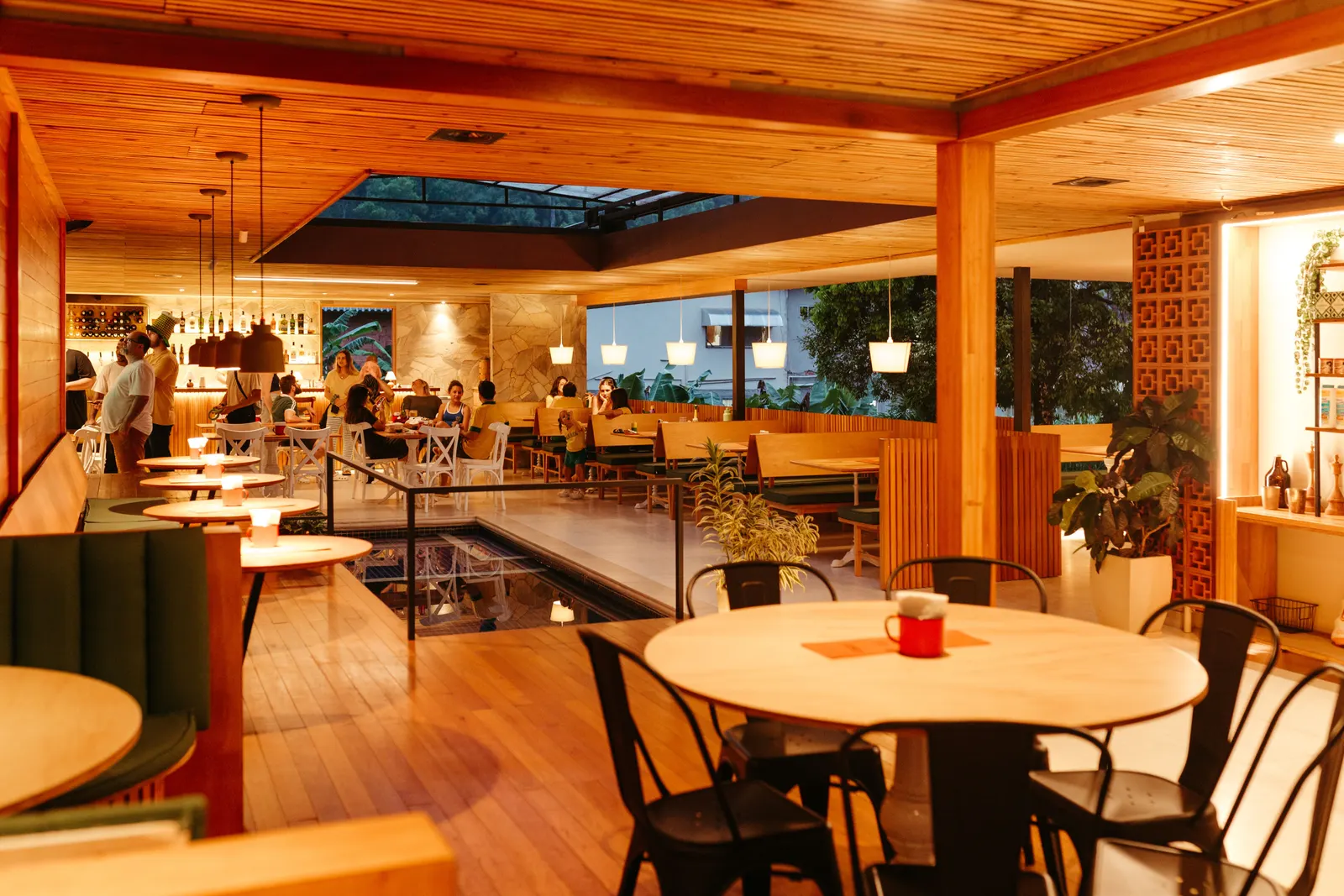
To manage a queue at the door without losing people, give every party a spot in line they can see, a wait time you will keep and a way to be called back, so they can wait somewhere else instead of on your pavement. Then decide in advance who goes first, how long you hold a table and when you let a party go.

Why do people walk away from your queue?
A queue on the pavement looks like success from the road. At the door it is a leak. A party asks how long, hears "about forty minutes" or "I'm not sure" and goes next door. The ones who stay crowd your entrance and block your staff.
The paper list does not fix it. Names get crossed out in the wrong order, a party of four becomes six and someone misses their call. The person on the door spends service answering questions, and nobody can tell you afterwards how many walked away.
Three things make a queue hold people:
- They can see where they stand. A number and a spot in line beat "we'll shout".
- The wait is true. A guest told forty minutes who waits thirty-five is happy. A guest told "shouldn't be long" who waits thirty-five is not.
- They can leave and be called back. A person with a drink in the pub next door is a seated guest in twenty minutes. A person on your pavement is a lost guest in five.
The rest of this guide builds those three, and covers the nights they fail.
How long should you tell guests they will wait?
Quote a wait you will beat. Everything else follows from that.
Work it out from how fast tables free up, not from how long a table sits. Here is an example, with round numbers that are yours to replace. You have ten tables of four and each party stays about seventy-five minutes. Ten tables every seventy-five minutes is about eight tables an hour, so a table frees roughly every seven or eight minutes. A queue of twelve parties then means the twelfth waits about ninety minutes. The first party might wait five.
On Mosey, you set one typical wait per party ahead of a guest. The estimate a guest sees is the number of parties ahead of them times that figure, rounded to the nearest five minutes, and it never shows more than three hours. In the example you would set about seven or eight minutes, not seventy-five. The guest's page shows what you set, so check the figure against a busy night and not a quiet one.
Two habits keep the number honest. Set it on a Friday, not a Tuesday, because a quiet-day setting understates the wait on the nights it matters. And cap the line: a maximum length stops you taking names you cannot honour, and you can pause the queue when the kitchen is under. Guests then see you are not taking joins, which is kinder than a name you will never reach.
How do guests join, and what do they see?
Print a code for the door, the window and the counter. A guest scans it and joins from their phone, with no app, no account and no download. They give a name and a party size. Email and phone are optional: the email is for one message when the table is ready, and the phone is for your staff to reach them.
Then they land on a page that updates on its own. It shows their number, their place in line, the estimate and the size of their party, with a button to say "I'm here" and one to leave. The queue is free on every plan and works without bookings, so a café or a chipper can run it alone.
A few things worth deciding before you print the code:
- Confirm or auto-accept. A free join from the web arrives as a request that your team confirms, and a request nobody answers lapses after thirty minutes. If nobody is free to tap Confirm on a busy night, switch on automatic acceptance for free joins and the guest goes straight into line.
- Join ahead. If you allow it, a guest who is ten minutes away can join and give the time they will arrive. Their place in line counts from that time, not from when they tapped. It is off until you switch it on, and you set how far ahead it goes.
- Several queues. A bar and a dining room can run as separate named queues, each with its own pace. A guest picks one when they join.
Your team gets a notification when someone joins, but never more than one every three minutes, so a busy hour is not a buzzing phone.
How does a guest know their table is ready?
When a table is clear, your host taps the party's Ready button, and can name the table. That is the moment the guest is told. How depends on who they are:
- A guest with the Mosey app gets an app notification, "Your table is ready".
- A guest who joined from the code can switch on browser alerts on their status page. The browser asks permission first and the alert covers only that place in line.
- A guest who typed an email gets one email at Ready. It is sent when your host taps the button, never on an automatic expiry, and a single address is limited to three of these a day across every restaurant, so nobody can be mailed in a stream.
- A guest who has the page open sees "Your table is ready" on the next refresh, because the page updates on its own.
Mosey does not send a text message, so say so on the door sign if your regulars expect one. On an iPhone, a browser alert only works for a site saved to the Home Screen, so the page tells those guests to keep it open.
So give the door a fallback. Put the ticket number on the sign, ask guests to stay within sight of the door if they have no alert, and have your host look up from the stand and say the number once. Calling the party again does not send a second browser alert, which is why the shout matters.
What do you do when someone does not come back?
Some will not. Plan for it, because the worst version is a held table and a line of hungry people behind an empty chair.
Mosey lets go of a party in a few set ways. Most are on by default, and you can change the times:
| Situation | What happens |
|---|---|
| A request nobody confirmed | It lapses after thirty minutes and the guest sees it on their page. |
| A guest who joined on their way and has not arrived | If they have not shown or pressed "I'm here" within fifteen minutes of the time they gave, a free party is let go. |
| A party waiting longer than your longest wait | They are let go. The default is three hours, and you can set it from thirty minutes to twelve hours. |
| Your hours say you are closed | A party that has been in line for over an hour is let go. |
| A guest you called who never comes forward | Your host marks a no-show and moves on. Or set a grace period, from two to sixty minutes, and a called free party is marked a no-show for you. The grace is off until you set it. |
Choose the grace by what a walk away costs you. A café might wait five minutes and move on. A restaurant that has cleared a table for six might wait ten. The guest is told how long they have when they are called.
Every ending is recorded with its reason, so you can count how many parties lapsed, left or never came back instead of guessing. A guest's name and contact details are cleared ninety days after a finished entry, though the counts stay.
Who goes first, and how do you keep it fair?
By default the line runs by arrival. A party that joined on its way takes its spot from the time it gave, or from the moment it pressed "I'm here". That stops a guest who joined from the sofa jumping ahead of one standing at your door.
Sometimes you need to override it, and Mosey lets your host do that without rewriting history:
- Move up or down one place. A party of two can be pulled forward for the table for two that has opened, with the true join time kept for your figures.
- Mark a regular. A priority flag tells the team who they are looking at.
- Match the table to the party. Call a party of two when a table for two frees, and say why if anyone asks. A spoken reason ends the grumbling.
If you also take bookings, hold some tables back for the door. The walk-in reserve you set in your reservations settings stops the queue eating tables you promised, and stops bookings eating the whole room. Choosing a booking system covers how many to hold.
Should you charge a hold fee for a spot in the queue?
A paid walk-up hold is optional, and most cafés will never want one. On a match night, a Friday with a long wait or a room where an empty table is expensive, it can protect the tables you clear.
How it works on Mosey: a guest with a Mosey account pays a fee in the app to join, so the free web code is not the route for it. You set the amount, and the guest sees the amount and your refund rule before paying. The fee goes to your own Stripe account. Mosey keeps a share of it only while you are on the Free reservations plan and nothing on a paid plan, and the pricing page shows the figure.
The rules that matter:
- The clock starts when you call them. The table you name is held on your floor for the window you set, 25 minutes by default, so nobody can book it online meanwhile.
- If you cannot seat them, they are refunded. That is the default. If you would rather keep the fee when a party is let go uncalled, you choose that up front and the guest is told before paying.
- If they leave, or do not show after being called, the fee is kept, and you can hand it back from your board.
- If you seat them, the fee comes off their bill. Only a party seated in the last twelve hours can be credited.
Start free, and add a fee only if people who never return are costing you real covers.
How do you know the queue is working?
You cannot fix what you cannot see. Mosey Queue keeps counts for the last seven, thirty or ninety days, with no guest named:
- joins, by source: the app, your code or your own staff
- the average wait and the longer waits, measured from the party's spot in line
- the abandon rate and the no-show rate
- joins and seatings by hour of the day, and joins by day of the week
- why spots in line ended: a no-show, a lapse, a closing or a party that left
Look at them once a week. Is the average wait close to what you quote? Is the abandon rate higher at one hour than another? If most walk-aways happen early, your estimate is scaring people off. If they happen after Ready, your grace period is too long or your host is not calling clearly.
A line that peaks at eight and thins by nine tells you when to put a second person on the door. To cost the walk-aways, the no-show calculator works the numbers with yours.
Is a queue a booking, a waitlist or something else?
They solve different problems, and a busy restaurant uses more than one:
- A booking fills the room in advance. It is the right answer for a table you can plan.
- The queue handles the person who turns up. It is free on every plan.
- The waitlist takes names for a date that is fully booked. It comes with the Starter plan at €79.99 a month. When a table opens, the next waiting party that fits is offered it, with a claim time you set, 30 minutes unless you change it.
Next, the pieces around the door. A cancelled booking is a table you can fill, and how to fill last-minute cancellations covers it. A quiet shoulder hour is when a good offer earns more than another queue, and early bird menus shows how. The waitlist guide covers the date-ahead side.
What should the door do before Friday?
Run through this once and the door runs itself:
- Set the pace. Work out how often a table frees on a busy night, and enter that, not a table's full sitting time.
- Cap and pause. Set a maximum line length and know who can pause it.
- Choose confirm or auto-accept. Auto-accept if nobody can tap Confirm during service.
- Set your grace. Pick how long you hold a called table before you move on.
- Print the code for the door, the window and the counter, and put the ticket number and your rule on the sign.
- Brief the host. One person owns the board, the call and the shout.
- Test it yourself at a quiet hour, as a guest, from a phone.
- Look at the figures the following Monday.
Then let the door work for you. When you want a queue guests can join from a code on your door, with an honest wait and your own rules, Host on Mosey and switch it on. More in the guides for food businesses.
This guide is general information, not legal, tax or financial advice. Rules change and depend on your business and where it is, so check the current rule with the official body named in the guide and take advice from a solicitor or accountant in your area before you act.
Questions
Common questions
How do I manage a queue at a busy restaurant?
Give each party a number they can see, quote a wait you will beat and call them back when the table is ready. Set a maximum length, pause when the kitchen is under and decide in advance how long you hold a called table. A digital queue keeps the order straight.
Do guests need an app to join a walk-in queue on Mosey?
No. A guest scans the code at your door and joins from their phone browser with a name and a party size. Email and phone are optional. A guest with the Mosey app can also join there and is notified in the app.
How does a guest find out their table is ready?
Your host taps Ready. A guest with the app gets a notification, a guest who switched on browser alerts gets one, and a guest who gave an email gets one message. The status page also shows it. Mosey does not send a text message.
What if a guest does not turn up when I call them?
Your host can mark a no-show and move on. You can also set a grace period, from two to sixty minutes, after which a called free party is marked a no-show for you. The guest is told how long they have when they are called.
Does the walk-in queue cost anything?
The queue is free on every plan and works without bookings. The waitlist for fully booked dates starts with the Starter plan at €79.99 a month. An optional paid hold carries a Mosey share only on the Free plan; the pricing page shows it.
Can I charge for a place in the queue?
Yes, as an optional paid hold. A guest with a Mosey account pays in the app, the fee goes to your Stripe account and the guest sees your refund rule first. You can seat or refund; the free web code stays free.
How long should I quote for a wait?
Work from how often a table frees up on a busy night, not how long a table sits. Quote a figure you will beat, because a guest who waits less than told is happy and one who waits longer is not. Check it against a Friday, not a Tuesday.
How do I stop people losing their place if they go for a drink?
Let them join from their phone and go. Their number and estimate stay on their status page, they can say when they are on their way, and the browser alert or an email calls them back. Add the ticket number to your door sign as a fallback.
More like this
Read next
A hotel restaurant that locals use too
A hotel dining room earns local trade when it acts like a restaurant of its own. Here is why locals stay away, how to set the dining room up on Mosey beside your hotel, and which offers fill it.
An alcohol-free drinks menu that still makes margin
More guests are drinking less, in January and the rest of the year. Here is how to cost, price, name and sell an alcohol-free menu so it earns as well as the wine list, with the Irish VAT and offer rules checked.
A pub that does food: making the kitchen pay
A pub kitchen pays when its gross profit covers its own wages and running costs. Here is how to count it, which services to fill, what the alcohol rules say and how Mosey fits.
Auto-enrolment pension for Irish restaurants and cafés: what you pay and do
Since 1 January 2026 an Irish employer matches the pension contribution of each eligible employee. Here is who counts, what it costs on a wage bill, the payroll steps and what staff can opt out of.
Get started
Host your business on Mosey. It is free to claim.
Free to list, no set-up fee, and Order Ahead is 1.5% commission when you start taking orders.