Walk-in queue and waitlist
A digital walk-in queue and waitlist for your door
Put a QR code on the door and let guests join the queue from their phone, with no app and no account. You see the line live, call the next party and pause when the kitchen is under.
Free to claim
Every tool is optional.
How do I manage a queue at the door without losing people?
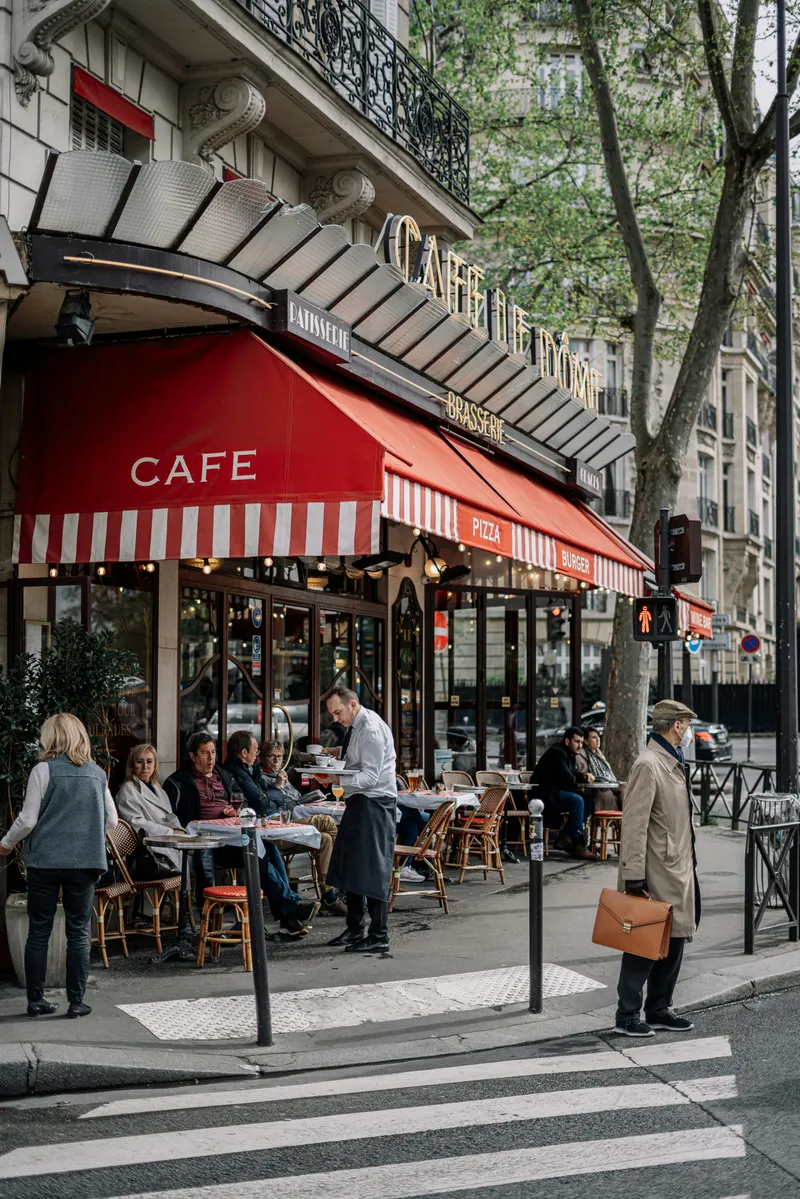
A queue on the pavement looks like success, but it is a leak. Half the people who ask how long it will be walk on when you say forty minutes, and the ones who stay crowd your entrance and block the staff trying to get past.
A clipboard helps until it does not. Names get crossed out in the wrong order, someone's party of four becomes a party of six, and the person on the door spends the whole of service answering the same question.
A digital queue fixes the leak. Guests put their name down in ten seconds, go for a drink next door and get a message when the table is close. You get an honest picture of the room and a wait time that is yours, not a guess.
How does the Mosey walk-in queue work?
Switch it on and set the wait
Open Mosey Queue and go to Settings. Turn the queue on, set the typical wait for each party size, a cap on how many parties can queue and the hours it runs. A café can run the queue without taking bookings at all.
Put the QR code where people queue
Print the code for the door, the window and the counter. A guest scans it, with no app and no account, and joins from their phone with a name, a number and a party size.
Call the next party
The Live queue lists parties in order with their size and how long they have waited. When a table is ready, call the next party and they are notified. If someone does not turn up, mark them and move on.
What do my guests see in the queue?
An honest wait
The estimate comes from your typical wait and the parties ahead of them, so it moves as your room does. A guest told forty minutes who waits thirty-five is happy. A guest told it will not be long who waits thirty-five is not.
A message when it is their turn
They are told when their table is close. A guest can say they are here now, on the way or arriving in a number of minutes, so you are not holding a table for someone ten streets away.
Clear rules on anything paid
The standard option is free. If you offer a paid option, such as moving to the front for an hour or keeping a table, the guest sees the amount and what is refunded if you cannot seat them before they pay.
The walk-in queue is free on every plan and works with or without bookings. A café that never takes a reservation can still run it.
How do I set up a walk-in queue in ten minutes?
- Claim your business free and open Mosey Queue, then Settings.
- Turn the queue on and set a typical wait for a party of two, four and six. Be honest, because a short estimate makes guests angry.
- Set a cap on how many parties can queue, so you never take names you cannot honour.
- Print the QR code and put it at the door, on the window and on the counter, and tell the person on the door that it exists.
- Open the Live queue on a tablet at the host stand, and switch on browser alerts so the screen does not need watching.
- Pause the queue when the kitchen is under. Guests see that it is not taking joins.
What does a restaurant queue and waitlist cost?
The walk-in queue is free on every plan, including the Free reservation plan, and does not need bookings switched on. The waitlist for fully booked dates starts with the Starter plan at €79.99 a month, and Host at €169.99 a month adds matching across dates.
Free
No monthly fee
Starter
€79.99 a month
Host
€169.99 a month
How is this different from a clipboard or a pager?
A pager needs buying, charging and chasing, and it only works inside the building. A phone is already in the guest's pocket, so they can wait in the pub next door and still be called.
A clipboard cannot update a wait time. The queue recalculates as you seat people, and the guest sees the new estimate without anyone shouting it across the room.
The queue also sits beside your bookings. Bookings fill the room in advance and the queue handles the walk-ins on the night, with the walk-in reserve you set in Reservations holding covers back for them. At the counter, Mosey Tap can show queue positions for guests who tap in.
Who needs a walk-in queue: café, restaurant, bar or food truck?
Any business with a line. A busy brunch café with no bookings, a pub kitchen on a match night and a restaurant that holds half its tables for walk-ins all benefit. A food truck at a market can use the same QR code to take names for a long line. If you rarely have a wait, leave it switched off.
Stop queuing people on the pavement
Claim your business free, print the QR code and let your next busy night run itself.
Walk-in queue and waitlist questions from owners
Is the walk-in queue free?
Yes. The queue is free on every plan and does not need reservations. It works on its own for a business that never takes bookings.
Do guests need an account or the app to join?
No. A guest scans the QR code at the door and joins from their phone without an app or an account.
Can I pause the queue or cap it?
Yes. Pause it when the kitchen is under, and cap how many parties can queue. Guests see that the queue is not taking joins.
What is the difference between the queue and the waitlist?
The queue is for walk-ins on the day. The waitlist takes names for a date that is already fully booked. The waitlist starts on the Starter plan.
How does the waitlist offer a table?
When a table opens, the guest is offered it and has 24 hours to claim it before it moves on. On Host, a party that wanted one date can be offered another when a table opens.
What if I cannot seat a guest who paid for a hold?
The fee is refunded. The guest sees that rule before they pay, so nobody is surprised if their table is not ready.
Can staff see the queue without watching the screen?
Yes. Browser alerts tell the host when someone joins, so the Live queue does not need constant attention.
Where to go next with the queue
- Step by step: the walk-in queue and waitlist
- Mosey Queue: the full guide
- A restaurant waitlist for fully booked nights
More ways to fill your business
Bookings and deposits
Take bookings with deposits and reminders, and stop paying for tables that nobody turns up to.
Loyalty and Mosey Tap
A free loyalty programme with stamps or points, and a tag at the counter that adds a visit in one tap.
The till and card payments
A web till for tables, tabs and takeaway, with split bills, shift reports and card payments at a capped rate.