
How to
Dashboard: Staff, people, rota, time and pay, leave and tips
Mosey · 23 October 2026 · 3 min read

The Staff group in the sidebar holds People, Rota, Time and pay, Leave, Tips, Training and Careers. It exists so that the hours, leave and tips you are legally asked about are kept in one place. It prepares payroll figures, but it does not run payroll, file with Revenue or move money. You need the manage workforce permission for most of it. That is separate from manage team, which decides who can use Mosey, and from manage jobs, which is hiring.
What goes in People?
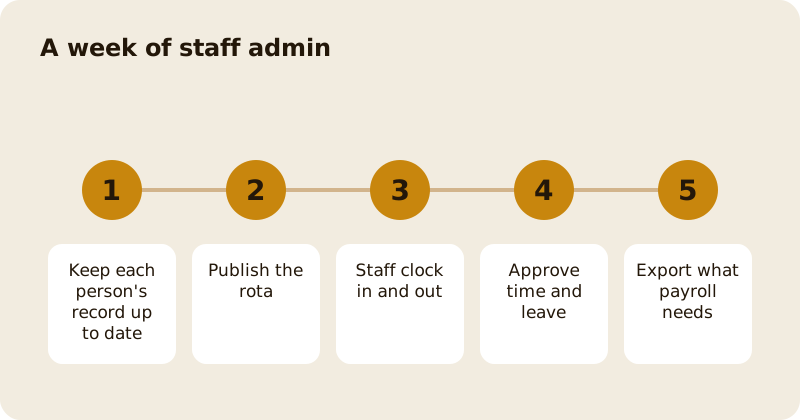
A record for each person: contact details, role, start date, contract and documents. Keep it complete, because it is what you reach for when a question comes up. Documents sit in a vault with their own access, and being able to publish a rota does not mean being able to read a colleague's identity documents. Keep records only as long as you need them.
How does the Rota work?
Build the week, publish it, and staff see their shifts in their own app. The rota helps you watch working time limits, but rules vary, so confirm yours; see rotas and working time rules. When you publish a change, staff are told, so make changes early and keep them rare. Swaps are easiest when the rota is clear about who can cover which role.
How do Time and pay and Leave fit together?
Time and pay records the hours people actually worked, from clocking in and out, and you approve them each period. Leave holds requests and balances, so approval and the record are in one place. Approved hours and leave then give you the figures your payroll provider or accountant needs. Mosey exports them, and you pay people through your own payroll. See payroll basics.
What does the Tips tool do?
It records tips and shows how they are split between staff, so the split is written down and visible. No money moves through it. You pay tips out through payroll, and the page helps you keep a clear, fair record. For the rules and the choices, read tips and tip pools.
What about Training and Careers?
Training holds the courses and certificates your people have. Careers shows each person's path and lets you propose a move, which is a change to their contract that both sides sign. Use training to cover legal basics first, then to grow your best people. The 30 day plan is in onboard and train new staff.
How long should you keep records?
Keep what the law asks you to keep, for as long as it asks, and no longer. Hours, leave and pay records have their own periods, so confirm them with your accountant. Delete documents you no longer need, and keep access to them narrow. Good records protect you in a dispute and your staff in a mistake.
What should you set up first?
Start with People and the rota, because they pay back at once. Add Time and pay when your team is used to the rota, and Leave after that.
Questions
Common questions
Does Mosey run my payroll?
No. The Staff group prepares and exports hours, leave and tips for your payroll provider or accountant. You pay people through your own payroll, and Mosey does not move wages.
Who can see staff records?
People with the manage workforce permission, which owners and managers have by default. Documents have their own access, so publishing a rota does not let someone read identity documents.
Does the Tips tool pay my staff?
No. It records tips and how they are split so the split is clear and visible. You pay tips out through payroll, and no money moves through the tool.
Is hiring in the same place?
Hiring has its own Jobs group, which needs the manage jobs permission. The Staff group is for the people you already employ.
How is this different from Team & access?
Team & access decides who can use your Mosey dashboard and what they can do. The Staff group is your HR record of who works for you.
More like this
Read next
Dashboard: Account and billing, Stripe payouts and your invoices
Account and billing is where you connect Stripe, see what Mosey has charged and why, and download invoices. Your takings go to your own Stripe account, not through Mosey.
Dashboard: Analytics and Mosey picks, what the numbers mean
Analytics shows how people find your business and what they do next. Mosey picks shows where you stand on ratings. Gold is earned from ratings alone and nobody can pay for it.
Dashboard: build your menu, scan it in and declare allergens
Menu Builder is the base for everything you sell. Scan your paper menu, tidy the dishes, choose where each is sold and declare allergens once so every ticket and label carries them.
Dashboard: Catering, requests, quotes, deposits and the calendar
Catering has its own group in the sidebar. A request arrives, you build a quote, the customer accepts, and a deposit holds the date. Here is each screen in order.
Get started
Claim your business free
Free to list, no set-up fee, and Order Ahead is 1.5% commission when you start taking orders.