How to
How to use and manage a voucher on Mosey
Mosey · 23 October 2026 · 3 min read

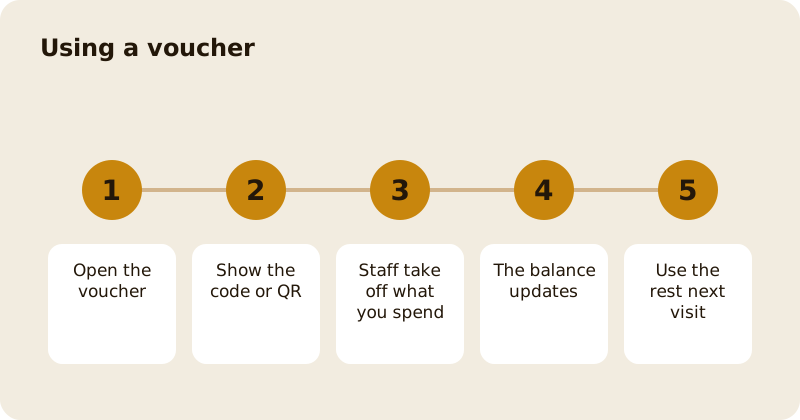
To use a voucher on Mosey, open it in your wallet, show the code or the QR to staff at the place, and they take off what you spend. The balance stays on the voucher for your next visit. You can also use a voucher with Mosey Pay or apply it to a booking deposit. The voucher screen shows the original amount, the remaining amount, the expiry date, the usage history and the terms.
Where do you find your vouchers?
Open the You menu and go to Tickets and Saved, or to your wallet, and choose a voucher. Each voucher shows its status: Active, Expired, Fully redeemed or Refunded. The voucher details screen shows the code, the original amount, the remaining amount, the purchase date, the expiry date, who it came from or who you sent it to, and the usage history.
How do you use it at the place?
The screen says how: show this code at the till. Staff take what you want to spend off your balance. There is a QR code too, which staff can scan instead of typing the code, and a Copy code button. You can spend part of the balance and keep the rest. A voucher that you used to pay a bill counts as a loyalty visit at the place where the programme allows it.
How do you use it with Mosey Pay?
If the place takes Mosey Pay, the voucher screen offers Use with Mosey Pay. Vouchers you hold are applied when you pay, so you do not need to show the code. See how to pay with Mosey Pay.
How do you use it on a booking?
If the place asks for a deposit, the deposit step offers any vouchers you hold for that place, showing the balance and whether it was gifted to you or is your own. Tap one to apply it; the amount is taken from your balance after you submit.
How do you claim a gift?
When someone sends you a voucher, you get a notification or an email. Open it to see the gift, who it is from and the message, and claim it into your wallet. If you did not have a Mosey account when it was sent, sign up with the same email and the gift is waiting.
What if you need a refund?
The voucher screen has Request refund. Choose a reason, for example that you no longer need it, and add a note if you like. The place reviews your request and decides. A refund pays back what is left on the voucher, not the processing fee. If you bought the voucher within the last 14 days and it is unused, you can withdraw and get a full refund; the screen shows the date by which you can do it.
What if the voucher is about to expire?
The expiry date is on the voucher screen. Spend it before then, or ask the place whether they can extend it; some places can. An expired voucher shows as Expired and cannot be used.
Can you give a voucher on to someone else?
If the voucher is yours, you may be able to share it from the voucher screen with the share button. Check the terms. Gift vouchers you have already sent stay with the people who got them, even if you later delete your account.
Related reading: buying a voucher or sending a gift, paying with your phone and the vouchers and gifts feature page.
Questions
Common questions
How do I use a voucher at a restaurant?
Open it in your wallet and show the code or QR to staff. They take off what you spend and the balance stays on the voucher for next time.
Can I use part of a voucher?
Yes. A voucher works across several visits. The remaining amount and usage history are shown on the voucher screen.
Can I use a voucher with Mosey Pay?
Yes, where the place takes Mosey Pay. Vouchers you hold are applied when you pay, and the voucher screen has a Use with Mosey Pay option.
How do I get a refund for a voucher?
Open it and choose Request refund, pick a reason, and the place reviews it. A refund pays what is left on the voucher. Within 14 days of buying, an unused voucher can be withdrawn for a full refund.
What happens if my voucher expires?
It shows as Expired and cannot be used. Spend it before the date on the screen, or ask the place whether it can be extended.
More like this
Read next
How restaurant deposits and cancellation policies work in Ireland
Why places ask for a deposit, when you get it back, what a card hold means, and what to do when plans change. Restaurant deposits from the diner's side of the table.
Bank holiday weekend eating out: how to avoid disappointment
Bank holiday weekends are busy and hours change. Here is how to book, check opening times and find a table when you are caught out.
Coeliac and gluten free eating out: what to ask
Eating out gluten free depends on the kitchen's answers. Here are the questions that matter and how to read what you are told.
Easter weekend eating out: planning tips
Easter weekend means changed hours and busy rooms. Here is how to check, book and keep a backup for a family meal.