Allergens, labels and menus
Allergen labels and a menu builder for restaurants and cafés
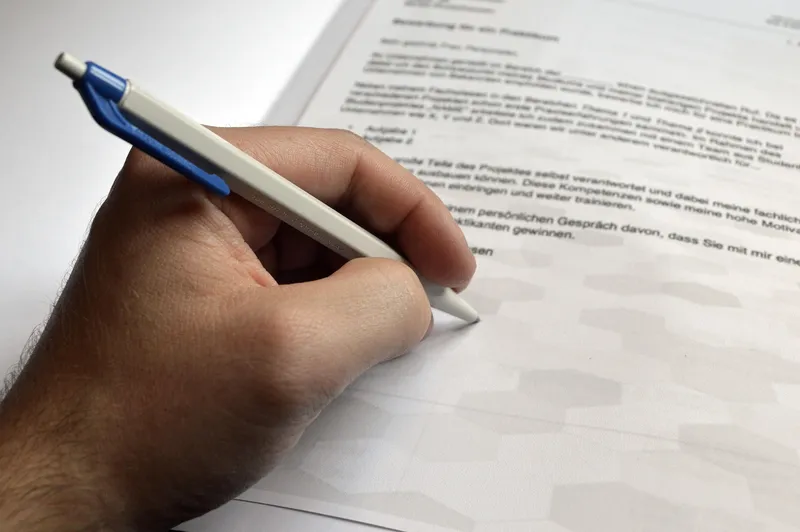
Scan your paper menu, tidy the dishes and declare each dish's allergens once. They then appear on kitchen tickets, receipts and order emails, and the dashboard produces an A4 allergen sheet and labels for food you pack.
Free to claim
Every tool is optional.
How do I keep allergen information accurate across every menu?
An allergen question at the table is stressful, and an allergen mistake can be serious. The information sits in the head chef's memory, on a laminated sheet that is a year out of date and in three different menus: the printed one, the website and the ordering app.
Every new dish and every supplier change is another spot to forget. Takeaway makes it harder, because the customer is not there to ask, and the law expects the information to be available.
Mosey keeps one declaration per dish and uses it everywhere. You declare once in the menu builder, and the same words go to the kitchen ticket, the receipt, the order email and the printed sheet, so what the customer reads is what the kitchen reads.
How does the menu builder handle allergens?
Scan or add your dishes
Open Menu Builder and scan a photo of your paper menu, or add dishes by hand. A scan is a draft, so read every name and price before you publish. Set each dish's VAT rate and where it is sold: eating in, Order Ahead, delivery or catering.
Declare what each dish contains
Open a dish and set what it contains and what it may contain, add a note and, if you pack the dish yourself, its ingredients. Each change is saved with who made it and when.
Print what you need
The dashboard produces an A4 allergen sheet as a PDF, a matrix of dishes against allergens, ready for the wall. For food you pack on site it prints labels with the ingredients and the 14 allergens in bold.
What do my customers and kitchen see?
Words that stay honest
A dish you have declared shows its allergens. A dish you have not declared tells the guest the business has not listed allergens and to ask before ordering. A dish declared with nothing in it says the business lists no allergens for it. Mosey never says a dish is allergen free or safe.
The same information on the ticket
Declared allergens appear on the kitchen ticket, the kitchen display, the receipt and the order confirmation email, headed Allergen information from the business.
The version the customer saw
If you change a declaration, orders already placed keep the version the guest was shown, so the record of what a customer was told stays true.
Mosey only ever shows what you declared. It never calls a dish allergen free or safe, so the declaration, and the responsibility, stay yours.
How do I declare allergens for my whole menu?
- Claim your business free and open Menu Builder. You need the Manage menu permission, which owners and managers have by default.
- Scan your paper menu to get the dishes in, then correct names, prices and VAT rates.
- Declare allergens dish by dish, starting with the best sellers. Add a note for anything that depends on how it is made.
- For food you pack yourself, add the ingredient list so labels can print. A dish with no ingredient list is not printed, but it is listed so you can complete it.
- Print the A4 sheet for the wall and test a label on a real dish.
- Make allergen checks a routine: whenever a supplier or a recipe changes, update the declaration the same day.
What does the menu builder and allergen tool cost?
Nothing extra. Menu Builder, allergen declarations, the A4 sheet and labels are part of your dashboard, and they feed the till, ordering, delivery and the Kitchen Display. Mosey's rates apply only when you take money through those tools.
How is this different from a laminated sheet or a spreadsheet?
A laminated sheet is out of date the day a supplier changes. A declaration in Menu Builder is one record that every ticket, receipt and order email reads, so there is only one record to update.
A spreadsheet does not reach the kitchen or the customer. Here the declaration prints on the ticket as it stood when the line was rung, so the cook sees what the guest was told.
Older free-text allergy notes from earlier menus were mapped across by exact names, and anything the system could not map is kept as a note. Check every dish and re-declare where needed. The allergen guide explains the law and a simple routine.
Who needs allergen declarations: café, restaurant, bar or food truck?
Every food business has to be able to tell a customer what is in the food. A restaurant with a long menu gets the most from one declaration used everywhere. A bakery or deli that packs food on site needs the labels. A café with a short menu can declare in an hour. A food truck can print the A4 sheet for the hatch.
Declare once, show it everywhere
Claim your business free, scan your menu and declare your first ten dishes this afternoon.
Allergen and menu questions from owners
Can I scan my paper menu?
Yes. Menu Builder can read a photo of a paper menu into dishes. Treat the result as a draft and check every name and price before you publish.
What does a dish with no allergen declaration say?
It tells guests that the business has not listed allergens for the dish and to ask before ordering.
Does Mosey say a dish is allergen free?
No. Mosey shows only what you declared, and never describes a dish as allergen free or safe.
Where do declared allergens print?
On the kitchen ticket, the kitchen display, the receipt and the order confirmation email. You can also produce an A4 allergen sheet and labels for food you pack yourself.
What if I change a declaration after an order?
Orders already placed keep the version the guest was shown. Each change to a declaration is saved with who made it and when.
Who can edit the menu?
People with the Manage menu permission, which owners and managers have by default. You can grant it to staff on the Team page.
Does the native till app show allergens?
The web till does. The native till app is not released yet and does not show allergen chips on its order screen.
Where to go next with your menu
- Step by step: build your menu, scan it and declare allergens
- Allergen information for Irish restaurants
- Menus and AI menu scanning
More ways to fill your business
Kitchen Display
Replace the ticket printer with a screen at each station and one at the pass. No separate charge.
Order ahead and collection
Take paid orders for collection from your own page at a low published rate, with slots you control.
VAT help
See your sales by VAT rate from the till and online orders, with refunds netted. A helper, not a return.