
Promotions and Boost
Restaurant promotions and Boost, built to fill slow hours
Sell a deal guests buy and redeem, or set Deal Hours so prices drop by themselves in a quiet window. Boost tells the people who agreed to hear from you, and you see what it brought in.
Free to list: your menu, replies and photos.
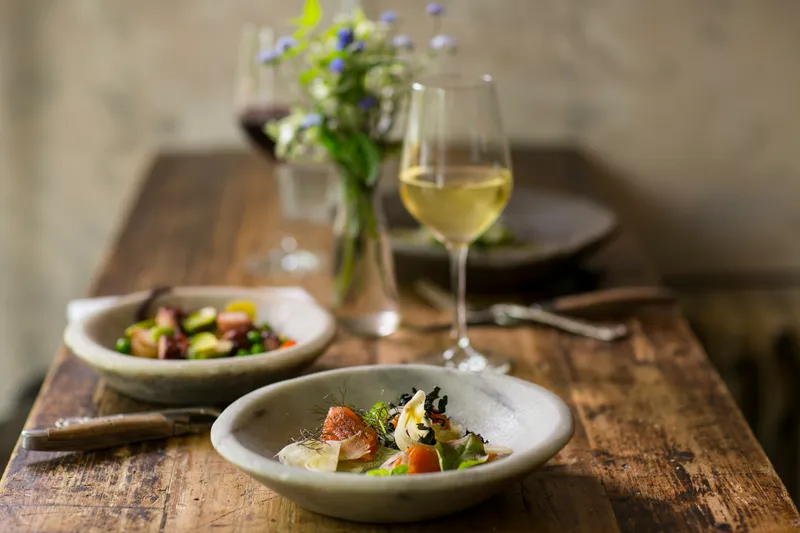
How do you fill Tuesday lunch without teaching regulars to wait?
Staff are on, ovens are warm and nobody is in. A blanket discount fills the room once and trains your regulars to wait for the next one. A deal with edges works better: a set day, a set window, a short list of dishes, a cap on how many and a limit for each guest.
What is a promotion, and what is a Deal Hour?
A promotion is a deal guests buy or claim, then redeem with a ticket: a bundle at one price, a percentage off, an amount off, a free item. You add the dates, how many are available, a limit for each guest, the days and hours it can be used and any blackout dates.
A Deal Hour is a price rule that applies itself inside a window. Pick the days and times, then a percentage, an amount off or a set price, on the whole menu or named dishes. The discount comes off at checkout while the window is open, online and at the till, and nobody needs to remember a code.
When several things apply, they go in a fixed order: the Deal Hour first, then a membership benefit, a loyalty reward, a promotion ticket and a voucher. Each is worked out on what the one before left, so the total is the same every time.
How is a paid promotion taxed?
A paid promotion for named items is a prepaid sale of those items, so it is taxed when it is bought, the way an event ticket is. The price is tax-exclusive and your state's sales tax is added on top, priced on each item's own class. The ticket carries a note that the tax is already paid, so using it later adds no second tax.
A dollar credit is different. It is sold untaxed and taxed by you when the guest spends it. Mosey shows the tax as one block in the guest's review before they pay.
What is Boost?
Boost is a paid send. Pick something you made on Mosey (a promotion, an event, a special, a voucher, a dish, a menu) and choose who hears about it: your followers, your paying members and guests nearby who agreed to nearby offers. The estimate shows how many people each group reaches and who is left out. You see the price before you pay, and nothing is charged until you confirm.
A push has a short title and a short message, and tapping it opens the offer in the app. Quiet hours and the daily cap on offers a guest receives are respected, so a push that would land at two in the morning waits. A campaign never writes to the same person twice.
How do you know it worked?
The results tab shows sends, opens and taps, and counts the orders, payments and bookings that followed within 48 hours, crediting the latest message from you. You set a daily and a monthly spending limit, or pause every paid send at once.
Where the rules differ
Promotions follow the tax of the state they are sold in. These points matter most.
- Alcohol
- A promotion cannot include alcohol sold through Mosey. A promotion for food and soft drinks works, and drinks at your own till stay your own sale.
- No-sales-tax states
- In a state with no sales tax, a deal is priced through the same engine at nothing and stamped that way.
- Text messages
- Mosey sends no text messages. Boost goes by app notification and, for guests who also agreed, email.
Rules change. Check any rule that matters to you with your accountant or adviser.
What Mosey is about
Affordable tools for food businesses
Tools priced for independents and small chains, not for the big groups.
A full suite, in one login
The tools a restaurant, café or bar needs sit together, so you are not paying for a stack of separate subscriptions.
You keep more of your revenue
Mosey is built so that more of every sale stays with the business that made it.
Free to list and claim
Your menu, your replies to guests and your photos cost nothing to put on Mosey.
No hidden fees
What Mosey charges is published, in full, so nothing arrives as a surprise on a statement.
Made for local food businesses
Mosey helps diners find independent food businesses by dish and mood, and lets people rate what they actually ate.
Questions owners ask
What is the difference between a promotion and Deal Hours?
A promotion is a deal a guest buys or claims and redeems with a ticket. Deal Hours is a price rule that applies by itself inside a window, with nothing to redeem.
Who can create promotions?
People with the marketing, promotions and events permission, which owners and managers have by default.
Can I stop a promotion early?
Yes. Canceling shows how many guests hold unused tickets and what will be refunded before you confirm. Tickets already used are kept.
Can a Deal Hour run past midnight?
No. Split a late window into two rules, one for each side of midnight.
Who is reached by Boost?
Followers and paying members who agreed to hear from you, and guests nearby who agreed to nearby offers. A guest who said no is never reached.
Can I schedule a Boost?
Yes. Send it now or choose a time. A scheduled Boost can be canceled for a refund before it goes out.
Does a promotion work at the till?
A ticket is redeemed at the till or the counter, and a Deal Hour is applied to each line at the till, with or without a customer attached.
More for your business
Loyalty and Mosey Tap
A stamp card or points program your regulars join in the app, with a tap at the counter.
Events and tickets
Ticketed tasting nights and supper clubs, with capacity, a waitlist, door scan and tax at purchase.
Marketing and your customer list
Customer groups, win-back offers and member letters, sent only to people who agreed.
Put your menu, your replies and your photos in front of diners
Claim your free listing and decide how your business looks to the people searching for a good dish near them.
Free to list: your menu, replies and photos.