
For businesses
Google Business Profile for restaurants: a setup checklist for Canadian owners
Mosey · November 11, 2026 · 4 min read
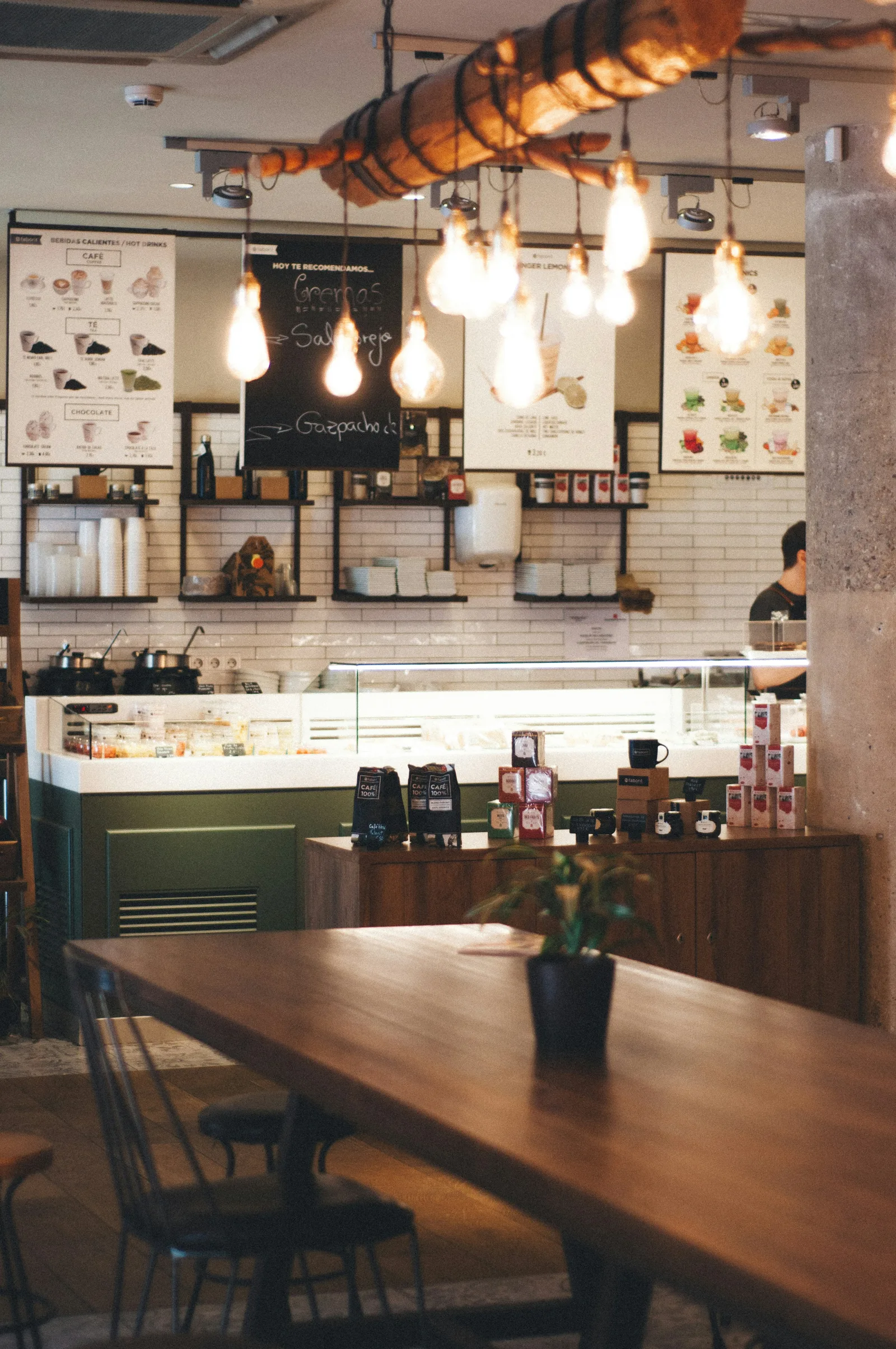
When someone in Canada searches for a place to eat nearby, the first result they see is usually not your website. It is your Google Business Profile: the box with your hours, photos, reviews and directions. For many diners, that box is the whole decision. Here is how to make it work for you.
Why does a Google Business Profile matter for restaurants?
It answers the questions diners ask before they choose: Are you open? Where are you? What does the food look like? What do other people say? A complete, accurate profile builds trust, and an incomplete or outdated one quietly sends people to the place down the street. Google describes local results as being based on relevance, distance and prominence, and a complete profile helps with relevance.
If you do only one thing this month, check that your hours on Google are right, including holidays.
How do you set up a Google Business Profile for a restaurant?
- Claim or create your profile and verify your business.
- Choose the right primary category, such as "Italian restaurant" or "Coffee shop", and add secondary categories.
- Add your address, phone number and website exactly as they appear elsewhere.
- Set your regular hours, and add special hours for holidays and events.
- Add your menu, ideally as text or a link to a mobile-friendly menu.
- Upload photos of your food, interior, exterior and team.
- Complete attributes such as outdoor seating, accessibility, takeout and reservations.
What photos should a restaurant post on Google?
| Photo type | Why |
|---|---|
| Signature dishes | Show what you are known for |
| Interior | Helps diners judge the vibe and occasion |
| Exterior and entrance | Helps people find you |
| Patio | A big draw in Canadian summers |
| Team | Makes the place feel human |
| Menu boards | Useful for counter-service spots |
Use real, well-lit photos, and refresh them through the year, especially when your menu changes with the seasons.
How should restaurants respond to Google reviews?
- Reply to every review you can, positive and negative.
- Thank people specifically for what they enjoyed.
- Stay calm with criticism. Acknowledge the issue, apologize where appropriate, and invite them to contact you directly.
- Never argue or share private details about a customer.
- Do not offer incentives for positive reviews; it breaks Google's policies.
What should Canadian restaurants add to their profile?
- Holiday hours for Canadian statutory holidays, which vary by province.
- Seasonal hours if you open a patio or change hours in winter.
- Accessibility details, such as step-free entrance and accessible washrooms.
- Dietary options, such as vegetarian, vegan or gluten-free, where Google offers them.
- Payment options, including tap and cards.
Should a Quebec restaurant's profile be in French?
If you operate in Quebec, the Charter of the French Language requires French for business communications such as signs, menus and websites. Make sure your business information and posts are available in French, and add English if you want to reach visitors, without making French less prominent.
How do you use Google posts for a restaurant?
Profile posts let you share updates: a new seasonal menu, a festival menu during Dine Out Vancouver or Summerlicious, an event, or holiday hours. Keep them short, use a good photo, and update regularly.
How often should you update your Google Business Profile?
Check it at least monthly, and whenever something changes: hours, menu, prices, phone number, or a temporary closure. Look for edits suggested by the public, which can change your information if you are not watching.
How do you answer questions on your Google profile?
Diners can ask questions publicly on your profile, such as "Do you have gluten-free options?" or "Is there parking?". Anyone can answer, and the answers are not always right. Check regularly, answer from your business account, and keep answers short and accurate. You can also anticipate common questions by making sure your attributes, menu and description already cover them, which saves both you and your customers time.
What mistakes should restaurants avoid on Google?
- Wrong or missing holiday hours.
- An outdated menu or prices.
- Stock photos instead of real ones.
- Ignoring reviews and questions.
- Inconsistent name, address and phone number across the web.
Mosey is built around diners rating the places they actually ate at, dish by dish. Wherever people discover you, the same rule applies: be accurate, be visible and give them a reason to choose you.
More guides for your business:
- Restaurant marketing ideas in Canada that do not need a big budget
- Should your restaurant join Dine Out Vancouver or Summerlicious?
- Running an Okanagan restaurant through a wine-tourism year: staffing, bookings and the winter gap
More in the Canadian guides for food businesses.
Questions
Common questions
How do I set up a Google Business Profile for my restaurant?
Claim or create your profile, verify it, choose the right category, add your address, phone, website, hours and menu, upload real photos, and complete attributes such as outdoor seating and accessibility.
What photos should a restaurant post on Google?
Signature dishes, the interior, the exterior and entrance, any patio, your team and menu boards.
Should I reply to every Google review?
Yes, where you can. Thank people for positive reviews and respond calmly and helpfully to criticism.
Does a Quebec restaurant need its Google profile in French?
Business communications in Quebec must be available in French under the Charter of the French Language, so your profile and posts should be in French, with English added if you wish.
How often should I update my restaurant's Google profile?
At least monthly, and whenever your hours, menu, prices or contact details change.
More like this
Read next
The Accessible BC Act and your restaurant website: what applies today and what to do anyway
British Columbia's Accessible BC Act applies mainly to public bodies for now. What that means for a private restaurant, why website accessibility still matters and a practical checklist.
AODA website rules for Ontario restaurants: who must meet WCAG 2.0 AA and what to fix first
Ontario's accessibility law requires larger private employers to make public websites meet WCAG 2.0 Level AA. Who is covered, what counts as your website, and a practical fix list for a restaurant.
Are Canadians eating out less in 2026, and what brings them back?
Restaurants Canada reports that most Canadians are cutting back on restaurant visits. What the survey says, why table-service businesses have reason to hope, and what independents can do about it.
Selling alcohol with takeout and delivery in BC: what the regulation lets a food primary licence do
Food primary and liquor primary licensees in BC can deliver and sell liquor in unopened containers with a meal. What the Liquor Control and Licensing Regulation says, and the Serving It Right rule.
Put your menu, your replies and your photos in front of diners
Claim your free listing and decide how your business looks to the people searching for a good dish near them.
Free to list: your menu, replies and photos.